STS2 Map Enhance Mod
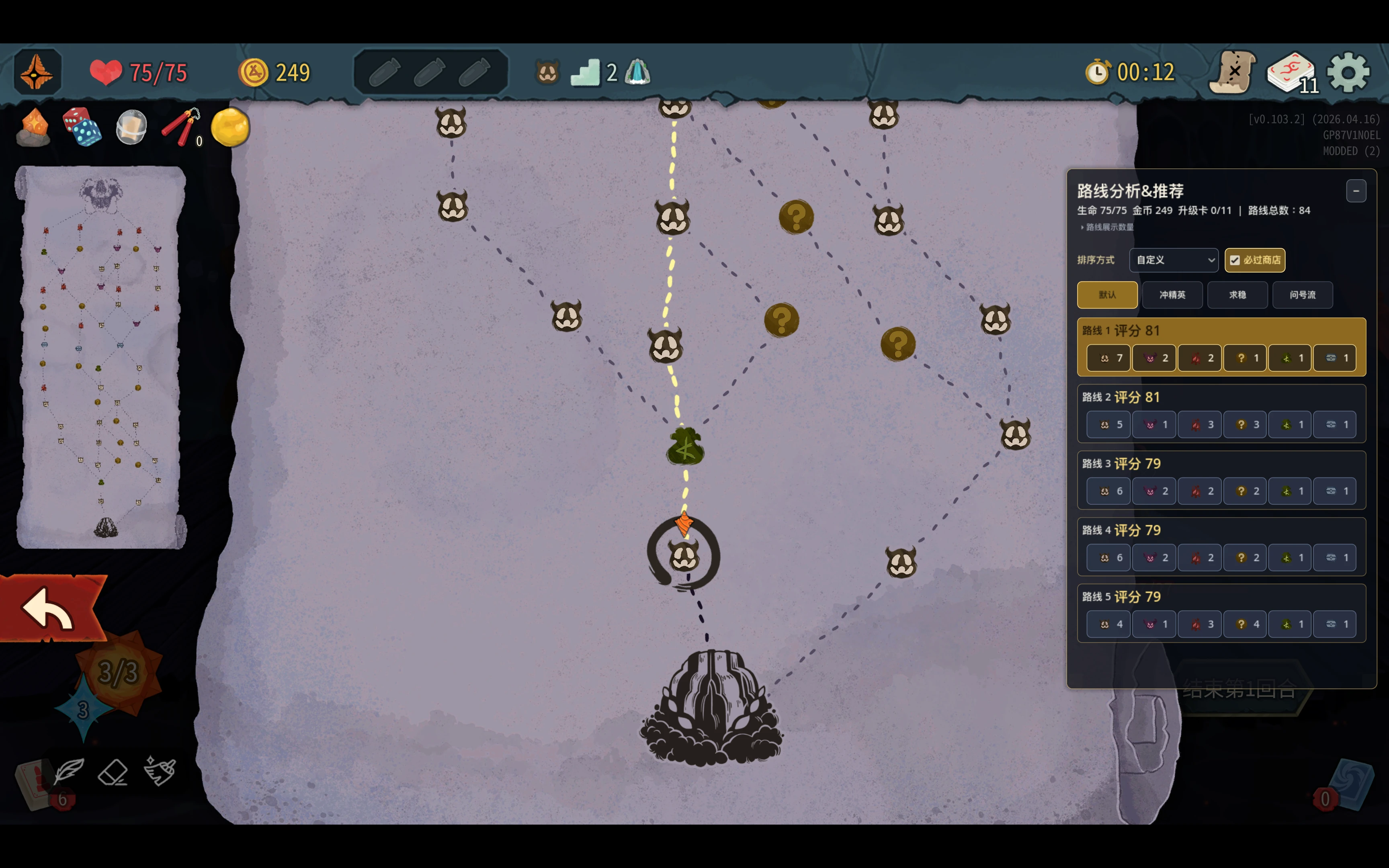
Map Enhance Mod is a visual map-improvement mod for Slay the Spire 2. It adds room-type tinting, route analysis, route filtering, a mini-map, live preview controls, and a quick toggle so routes and important nodes are easier to read at a glance.
Current version: 0.8.0
Author: Jason Song
Type: map readability / route planning / UI aid
Gameplay impact: no direct gameplay changes. The mod focuses on presentation and planning support.
Screenshots
Core Features
- Tint map room icons by room type.
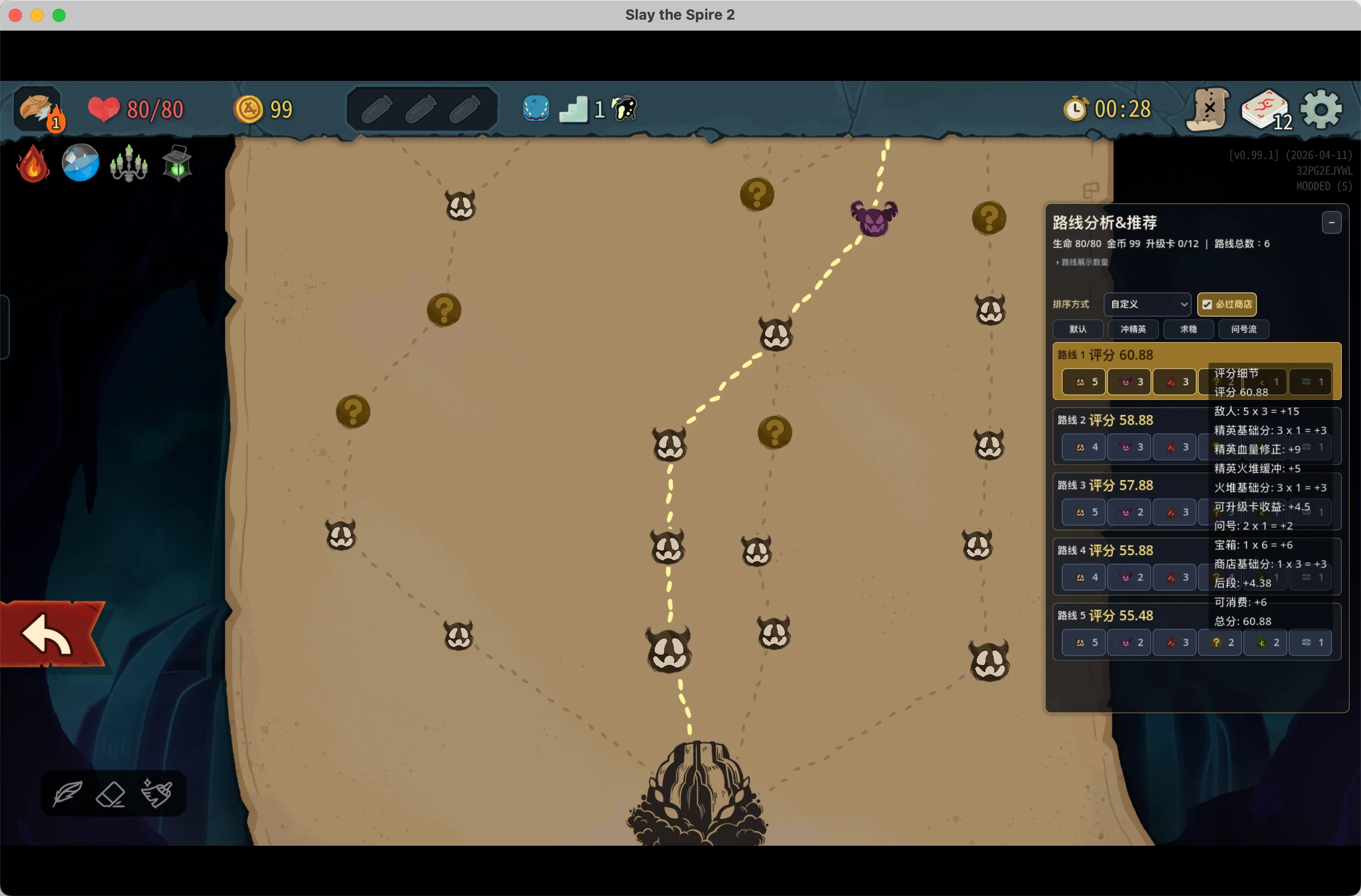
- Show a route analysis panel with route summaries.
- Hover or click route entries to highlight the full route on the map.
- Double-click map rooms to filter candidate routes that pass through a chosen room.
- Hover unvisited map rooms to preview the next room and possible future question, combat, and treasure contents.
- Use a draggable mini-map with in-game size controls.
- Tune color, opacity, and brightness in-game.
- Preview room-type colors live in the settings page.
- Apply changes while the map is open.
- Press
F8to quickly toggle map tinting on or off. - Restore a recommended default palette with one click.
Supported Room Types
| Type | Meaning |
|---|---|
| Enemy | Normal enemy rooms |
| Elite | Elite rooms |
| Rest | Rest sites |
| Shop | Shops |
| Treasure | Treasure rooms |
| Unknown | Unknown rooms |
Boss and Ancient / Special nodes currently keep vanilla behavior to avoid hover and animation conflicts.
Route Analysis
The route analysis feature reads the real in-game map graph and enumerates legal future routes. It is a planning aid, not an optimal-route solver.
Each route summary includes:
- elite count
- shop count
- rest-site count
- unknown-room count
- treasure-room count
- monster-room count
The score is heuristic and considers current HP, gold, shop timing, elite density, and rest-site safety buffers.
In-Game Settings
Open:
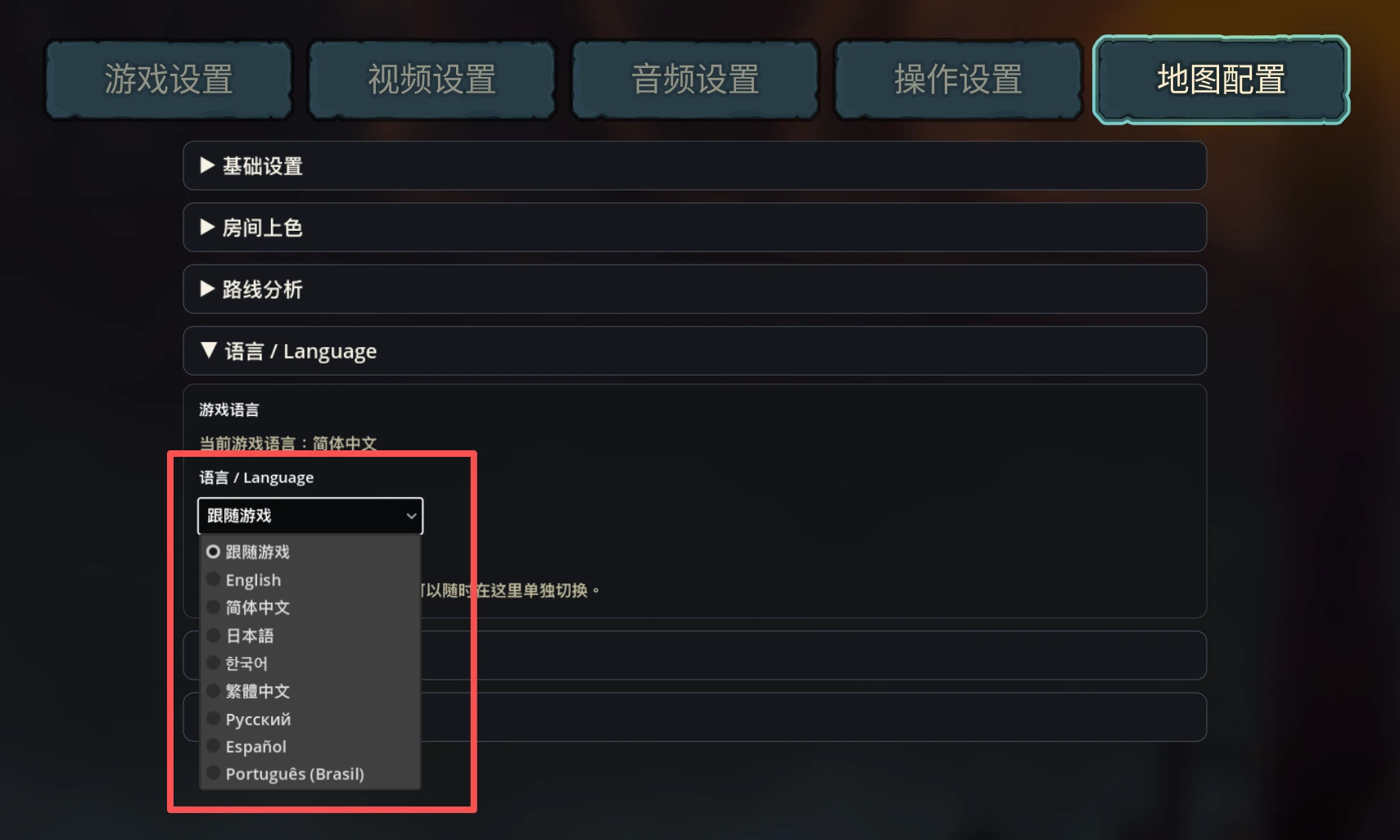
Settings -> 地图配置 / Map Config
You can:
- enable or disable map tinting
- enable or disable icon tinting
- adjust each room type's color
- adjust opacity
- adjust brightness
- preview changes immediately
- restore recommended defaults
Settings are saved automatically and applied automatically.
Installation Notes
The distributed mod folder should include:
sts2_map_mod.dllsts2_map_mod.pcksts2_map_mod.jsonmap_color_config.json.txt
Do not put map_color_config.json directly into the game mod folder. The game may treat every *.json file there as a mod manifest, so the config file uses map_color_config.json.txt.
Video Demo
Slay the Spire 2 Map Enhance Mod
Links
- Quark download: pan.quark.cn/s/f2902ba27eff
- Nexus Mods: Slay the Spire 2 Mod #475
- Video demo: Bilibili BV1XfDSBXEKk
License
This project is released for non-commercial use only. Personal use, modification, and sharing are allowed. Commercial use requires prior written permission.
Do not reupload this mod to other websites, mirrors, download portals, cloud-drive collections, paid modpacks, or any third-party distribution channel without written permission. Do not distribute modified builds without permission. Please download the files only from this page, Nexus Mods, or official download links explicitly provided by the author.